
Gallery 2 of 7Your business
Lantern Street Coffee Café / restaurant
A coffee shop with a menu of drinks and bakery, two branches with their own hours, pickup slots and a drive-thru at one of them.
Closed9:24 PMNew York time (ET)
Today, before tax$3,860412 transactions
- Iced oat latte$6.25
- Cappuccino$4.95
- House blend beans 12 oz$17.50
Tap anything to put it in the register. Nothing is sold until you complete the sale.
Simulation with sample data: it runs in your browser only — nothing is sent, no account is created, and each business keeps its own cart and stock.
Your mission
0 of 3 done- Order from the menu for pickupPick a branch, a pickup time, and place the order.Go
- Follow the order to “Completed”Move it through Accepted, Preparing and Ready.Go
- See the points landPoints are credited to the member when the order completes.Go
Complete the steps to reveal the outcome.
Separate from the language: Arabic keeps the same currency and branch times. Each country has its own set prices — switching is not a currency conversion. In the app a company chooses its country, currency (any ISO code) and time zone, and each branch its own time zone and tax profile.
Order ahead for pickup
Order from the customer’s phone; the order reserves stock at the branch and shows in the café’s reports below.
Where would you like to order from?
In the app each branch has its own ordering link and QR code; scanning the one at the door opens this branch directly.
Behind the counter
The register, stock per branch, the member’s points and the reports — the online order above lands here too.
Tap a product to add it
A sample basket to start with — change it, or
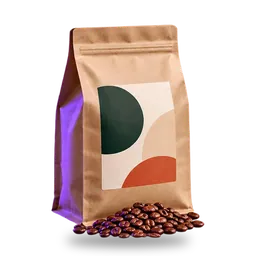 House blend beans 12 ozTax 0% · Exempt: food$17.50
 Kettle chipsTax 0% · Exempt: food$5.50
- S-1041 · New York Branch · Card$11.06
- S-1040 · Los Angeles Branch · Cash$6.00
- S-1039 · New York Branch · Card$16.21
Tap products to build the sale, then record it and watch it travel: stock goes down at this branch, the member earns points, and the reports update — the chain the app runs in one transaction.
Watch the last sale travel through the system
Complete a sale at the register above — this trail follows it through stock, points and reports.